PhotoMarks for MacOS Download (Latest 2026) - FileCR
Free download PhotoMarks for MacOS Latest full version - Visually watermarking your copyrighted images in batch mode.
Free download PhotoMarks for MacOS Latest full version - Visually watermarking your copyrighted images in batch mode.
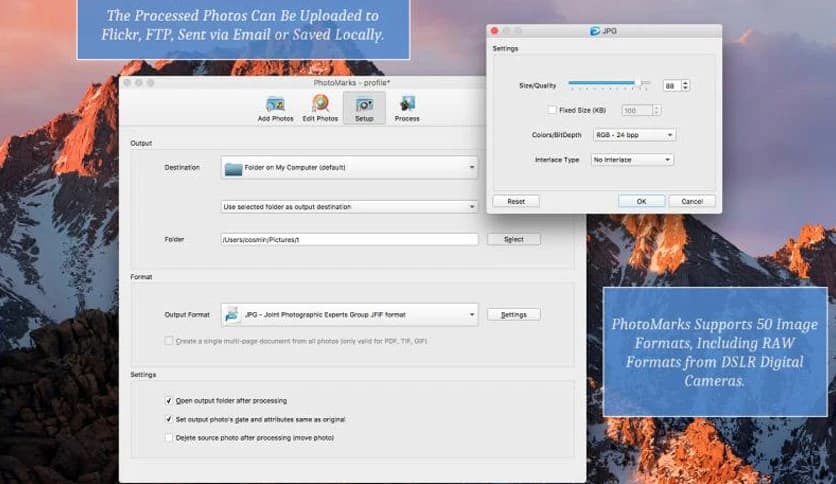
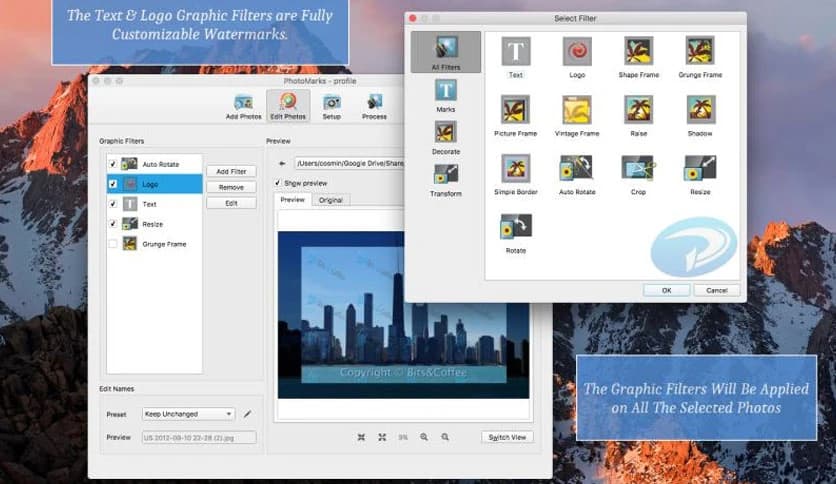
Free Download PhotoMarks full version standalone offline installer for MacOS. It is a powerful tool designed specifically for photographers, graphic designers, and anyone who needs to add watermarks to multiple images at once.
It stands out for its intuitive drag-and-drop interface, which lets you quickly import photos and start watermarking almost immediately. The software offers a seamless workflow, enabling users to create custom watermarks, adjust their placement, and export the watermarked images without compromising on quality. Whether you're working with high-resolution pictures or processing a wide range of formats, this tool lets you add your watermark with minimal hassle.
Moreover, it supports multiple watermark styles and sizes, giving users complete control over the appearance of their protected images. One of its standout features is batch processing—users can process hundreds of photos at once, making it ideal for photographers and designers who work with large volumes of images. With it, you can rest assured your photos are protected while maintaining their aesthetic appeal.
It offers a hassle-free solution to watermarking. Its easy-to-navigate interface is built for both beginners and professionals. With intuitive drag-and-drop functionality, applying watermarks is no longer tedious. The software also offers advanced customization options to personalize the watermark and protect your intellectual property.
Additionally, it is optimized to handle bulk watermarking, which is particularly useful for users with large image libraries. Instead of applying watermarks one by one, you can load all your images into the software, configure your watermark settings, and let it handle them. This not only saves time but ensures consistency across all your pictures, whether you're watermarking a few photos or thousands.
Q: How does batch watermarking work in it?
A: You can easily add watermarks to multiple images at once by simply dragging and dropping them into the interface. The software then applies your chosen watermark settings to all the photos in your batch.
Q: Can I use custom logos as watermarks?
A: Yes, it allows you to use your custom logos as watermarks. You can upload PNG, JPG, or other compatible image formats for this purpose.
Q: Can I adjust the transparency of my watermark?
A: It gives you complete control over the transparency of your watermark, so you can choose how visible or subtle it should be on your images.
Q: Is it compatible with high-resolution images?
A: Yes, it maintains the high quality of your images even after watermarking, ensuring they remain sharp and clear.
Q: Can I resize the watermark according to my image?
A: Yes, it provides you with resizing options to adjust the watermark's size relative to your image dimensions.
Q: Does it support batch renaming of files?
A: Yes, along with watermarking, it allows you to batch rename your files, making it easier to organize and manage your images.
PhotoMarks from Bits&Coffee is a fully featured solution for watermarking your copyrighted images in batch mode. With its wide array of features, such as customizable watermarks, batch processing, and an easy-to-use interface, it is perfect for photographers, designers, and businesses who want to protect their images efficiently.
Leave a comment
Your email address will not be published. Required fields are marked *