Free Download Orkana latest standalone offline installer for macOS. It is a time-management tool that tracks, manages, and optimizes daily activities.
Overview of Orkana for macOS
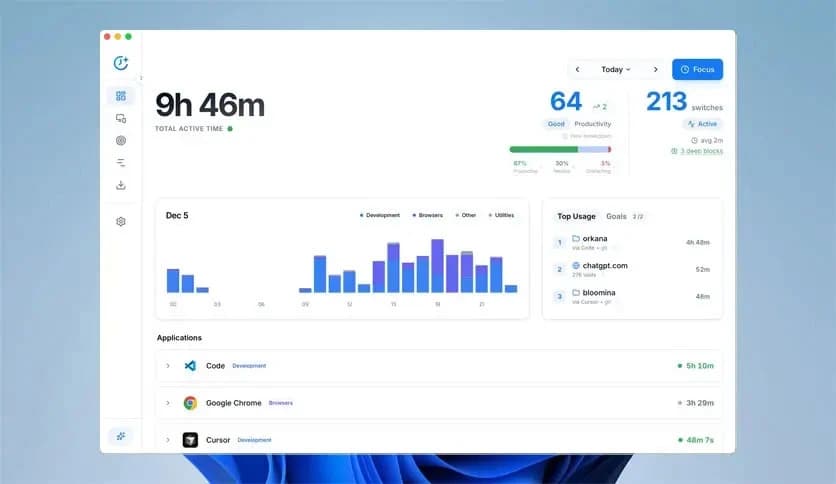
It is designed to be your personal time assistant. It tracks your activity in real time, giving you a clear picture of how you spend your hours. This application isn’t just about keeping a log of your daily routine; it’s about making the data work for you. The insights it generates are meant to help you optimize your habits, reduce distractions, and become more intentional with your time.
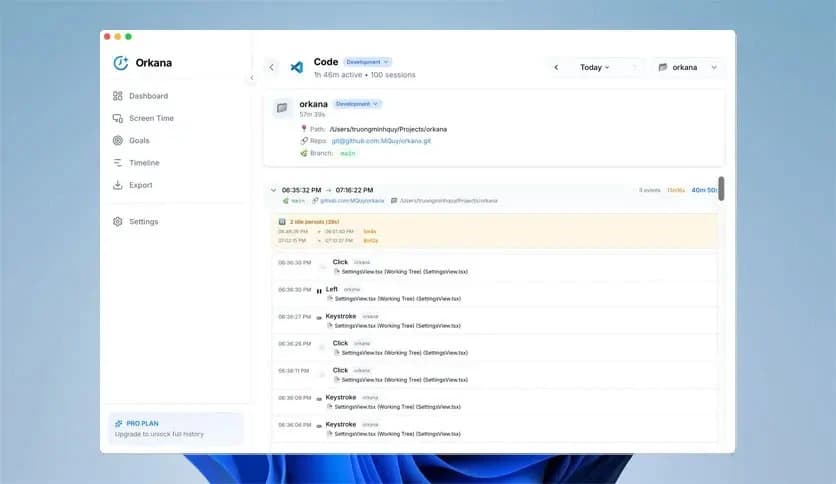
One of its key features is its detailed activity tracking, which lets you categorize and label tasks by priority. It doesn’t just track time; it provides an overview of your productivity, helping you identify where improvements can be made. Whether you’re working on a deadline or trying to avoid procrastination, it provides the structure you need to stay on track.
Key Features of Orkana for macOS
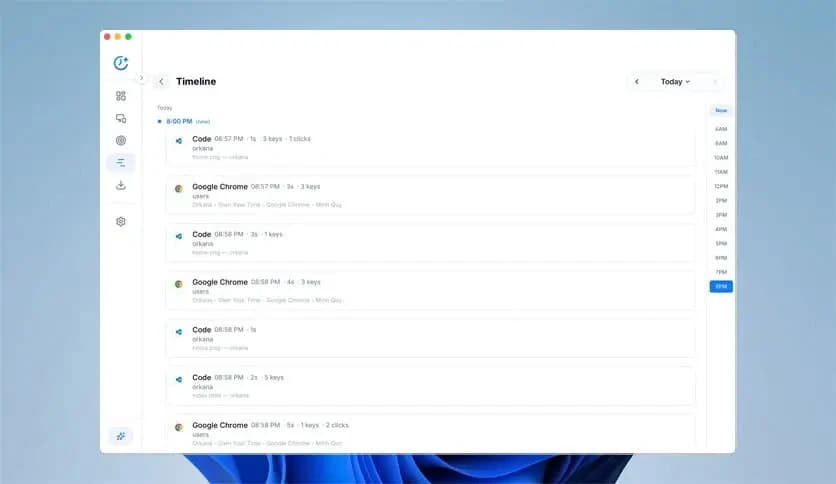
- Real-Time Activity Tracking: Continuously monitors your activities, providing up-to-date insights into how you spend your time. The real-time tracking ensures that no detail is overlooked, and you can quickly see if you're veering off track.
- Customizable Task Categories: Organize your tasks into categories such as work, study, personal, and more. This helps you prioritize your efforts and stay focused on what’s important at any given time.
- In-Depth Analytics: The app provides a detailed breakdown of your activities with pie charts and graphs that highlight time spent on each task. This way, you can easily identify productivity bottlenecks and adjust accordingly.
- Daily and Weekly Reports: They generate reports that provide insights into your performance over a specific time frame. This helps you track your progress over weeks or months and provides a clear view of how you’re evolving.
- Goal Setting: With this tool, you can set specific time-based goals, such as working a certain number of hours per day or reducing distractions. The app will track your progress and remind you of your objectives, helping you stay accountable.
- Distraction Alerts: Built-in reminders that alert you when you spend too much time on low-priority tasks. These nudges can help you refocus, reduce procrastination, and keep you on track.
- Task Prioritization: Set the priority for each task to ensure your most important activities are completed first. This feature makes it easier to structure your day around critical deadlines.
- Seamless Integration with Other Apps: It integrates with other productivity tools you use, including calendars and task managers. This ensures that all your schedules and to-do lists are aligned, with no manual input required.
- User-Friendly Interface: The app has an intuitive, easy-to-use interface. Whether you’re new to time management apps or a seasoned pro, its design makes it easy to navigate without overwhelming you with complex settings.
- Cross-Device Syncing: It lets you sync your data across devices so you can track your time even when you switch from your MacBook to an iPhone or iPad. This cross-platform syncing ensures your schedule stays consistent wherever you are.
System Requirements
- macOS 10.12 or later
- 4GB RAM or more
- 1 GB free disk space
- Internet connection for syncing and updates
FAQs
Q: What is this used for?
A: It helps users track and manage their time more effectively by providing insights into daily activities and suggesting ways to optimize time usage.
Q: Does it work offline?
A: Yes, it works offline, but it requires an internet connection for syncing data and updating the app.
Q: Can I integrate it with other apps?
A: Yes, it integrates with other productivity tools such as calendars and task managers to streamline your workflow.
Q: How does it track my time?
A: It uses real-time tracking to monitor your activities and categorize them, providing detailed reports on how you spend your day.
Leave a comment
Your email address will not be published. Required fields are marked *