Free Download ENSILI Specimen full version standalone offline installer for macOS. It is a sleek and intuitive tool designed to simplify font management on your Mac. It allows users to easily browse, organize, compare, and discover fonts, offering a user-friendly interface and powerful features that enhance their creative process.
Overview of Specimen for macOS
It is a powerful, elegant font manager designed specifically for macOS users. Unlike other font management apps, this tool provides a clean, intuitive interface that makes it easy to access, compare, and manage fonts. It is not just another font organizer; it’s a complete solution for anyone who wants to streamline their font usage, whether it’s for personal projects or professional design work.
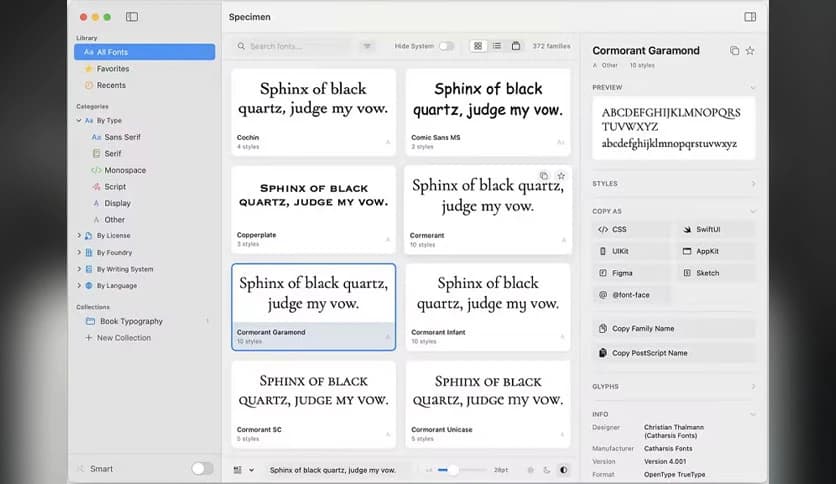
The application lets you effortlessly browse your entire font collection and preview fonts in various ways. You can instantly view any font's details, adjust the size, and see how it looks in different weights and styles. With features designed to enhance productivity, it makes working with fonts as seamless as possible, leaving you more time to focus on your creative work.
Key Features of Specimen
- Intuitive User Interface: It features a sleek, minimalist interface that delivers a smooth user experience. You can easily navigate between different fonts, categories, and settings with just a few clicks, making it suitable for both beginners and seasoned designers.
- Font Preview and Customization: With this tool, you can instantly preview any font installed on your Mac. You can also adjust the font size, line height, and other settings to see how the font behaves in different contexts. This is a valuable tool when you're selecting the perfect font for a project.
- Comparison Tool: One standout feature is the ability to compare fonts side by side. This is particularly useful when deciding between two similar fonts or when choosing the best one for a specific design. The comparison tool makes this process quick and efficient.
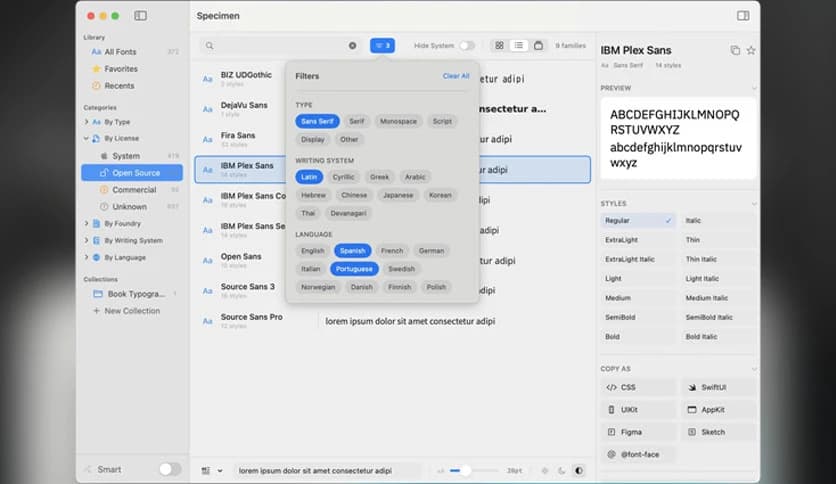
- Collections and Categorization: It allows you to organize fonts into collections based on themes, styles, or other criteria you choose. This organization feature makes it easier to manage a large font library and find what you need when you need it.
- Search Functionality: If you’re dealing with a vast number of fonts, it offers a powerful search feature to help you locate the right font in seconds. You can search by font name, style, weight, or other parameters, saving you valuable time.
- Favorites System: Allows you to mark fonts as favorites for easy access. If you often use a particular set of fonts, you can quickly access them from your favorites list, streamlining your workflow.
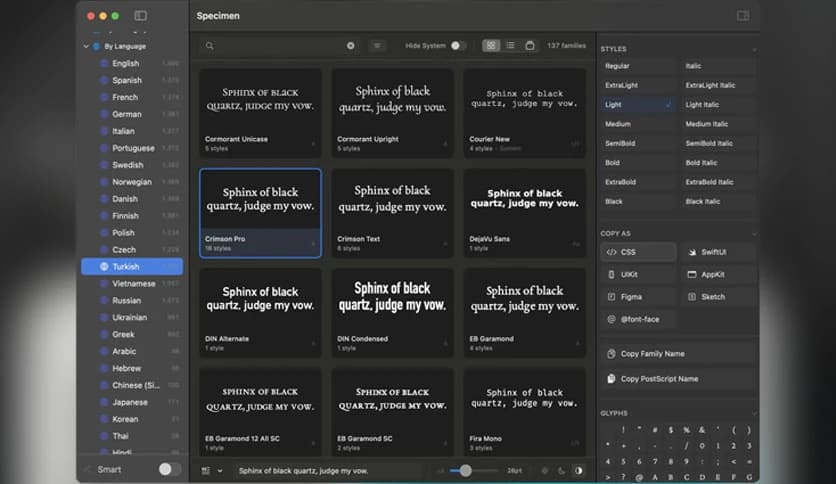
- Multiple Language Support: The app supports multiple languages, making it a versatile choice for designers worldwide. Whether you’re working with Latin, Cyrillic, or Asian characters, it ensures that fonts display correctly.
- Font Information and Metadata: Each font includes detailed information such as the font family, weight, style, and other metadata. This can help you keep track of font versions and make informed decisions about which fonts to use in your projects.
- Dark Mode: For those who prefer a darker interface, it offers a dark mode option. This feature reduces eye strain, especially when working on typography late into the night. It’s a thoughtful addition for long-term users.
System Requirements
- macOS version: macOS 13.5+
- Processor: Intel-based processor or Apple Silicon
- RAM: Minimum 4 GB
- Storage: 100 MB of free disk space for the app
- Other: Internet connection for updates and font installations
FAQs
Q: Can I import fonts from third-party sources?
A: Absolutely! You can import fonts from external sources, such as font websites or your own collection, into it.
Q: Does it support font management for both personal and professional use?
A: Yes, it is designed to be versatile, making it perfect for both personal and professional font management.
Q: Can I sync my fonts across multiple devices?
A: Currently, it does not support syncing fonts across multiple devices. Fonts are stored locally on your Mac.
Leave a comment
Your email address will not be published. Required fields are marked *