eDrawings Mod APK Free Download - FileCR
Free download eDrawings 31.4.0030 Pro MOD Version Unlocked Ad-Free APK for Android. Open, view, and share 2D and 3D design files.
Free download eDrawings 31.4.0030 Pro MOD Version Unlocked Ad-Free APK for Android. Open, view, and share 2D and 3D design files.
Free Download eDrawings Pro MOD Version Unlocked Ad-Free APK for Android Phones and Tablets. It is a powerful CAD viewer app that helps you open, view, and share 2D and 3D design files on your Android device anytime, anywhere.
It is a professional CAD viewer designed for Android phones and tablets. It allows users to open native IT files and SolidWorks® parts, assemblies, and drawings. This makes it easy for engineers, designers, students, and clients to view complex 2D and 3D models without installing heavy CAD software.
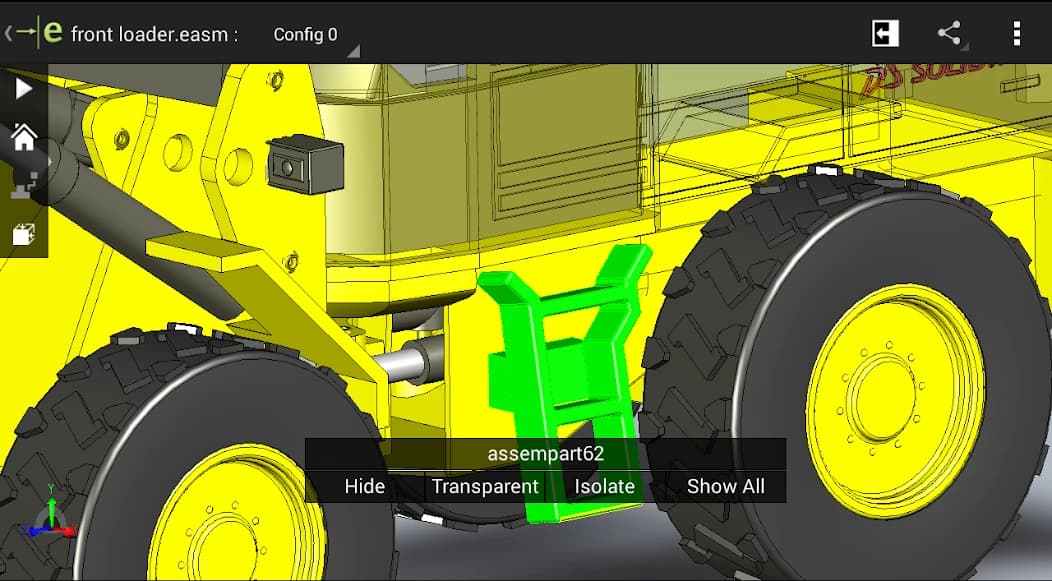
The app also supports smooth collaboration. You can load files from email attachments, cloud storage, web links, or network folders and share them with others. With simple multi-touch gestures, you can easily zoom, rotate, and pan models. This helps non-CAD users understand designs clearly and provide feedback without technical difficulties.
eDrawings for Android is a reliable solution for viewing and sharing CAD designs on mobile devices. It supports many popular file formats and offers smooth controls for 2D and 3D models. This makes it useful for professionals and beginners alike. With the Pro upgrade, users can measure designs, view cross-sections, and add markups to improve collaboration. Overall, it is a practical tool for quick design reviews and clear communication on the go.
Q: What is the app used for?
A: It is used to view and share 2D and 3D CAD files on Android devices.
Q: Can I open SolidWorks files in it?
A: Yes, it supports SolidWorks parts, assemblies, and drawing files.
Q: Does it work without internet?
A: Yes, you can view downloaded files offline, but cloud access needs internet.
Q: What extra features do I get with Pro?
A: Pro features include measurements, cross-section views, and markup tools.
Q: Can I share designs with others?
A: Yes, you can share files and marked-up designs via email or other apps.





Leave a comment
Your email address will not be published. Required fields are marked *